Most Claude Code tools only report what you already spent, and the few that
enforce stop at a dollar figure. AgentObs enforces before the call runs —
on tokens, on a rolling rate-limit window, on dangerous commands.
npm install -g @klars/agentobs
Requires Node 22.5+. Runs entirely on your machine — no account, no signup.
The local dashboard — cost, tool calls, errors and blocked calls at a glance.
Hard limitsBlocks, not just warns
Zero configNo hooks needed to start
MIT licensedRead every line
Set up in one command
1
Install
npm install -g @klars/agentobs
agentobs init
init writes the Claude Code hooks for you (backing up your
settings first), adds starter guardrails, and imports your existing
history — so the dashboard has data immediately.
Nothing to copy or paste.
2
Set a limit
agentobs budget set --daily 5 --block
agentobs budget set --block5h 200000 --tokens
--block refuses further tool calls at the limit. On a
subscription the constraint is not dollars but your rolling 5-hour
window, so a budget can be denominated in tokens instead.
3
See it coming
agentobs forecast
“At $4.14/hour you hit the limit in 44 min.” A forecast needs
the limit as well as the usage — which is why a tool that only reports
usage cannot tell you this.
4
Watch it
agentobs dashboard
Runs at 127.0.0.1:4300. Nothing leaves your machine.
What else it does
Approvals that actually ask
A needs_approval rule holds the call and notifies you.
Approve it and the agent's retry succeeds — scoped to that exact call,
so approving rm -rf ./build never authorises
rm -rf /.
Ask the agent itself
claude mcp add agentobs -- agentobs mcp — then ask Claude
“am I close to my limit?” and it answers from your real local data.
In your status bar
5h 78% · $2.00/$5.00 → 44 min · ctx 43%
Your real rate limit, the tightest budget, and a countdown.
Fast enough to run constantly
A statusline render is 0.6ms through the optional warm
daemon. Everything works without it — the daemon is a pure optimisation.
Other agents too
agentobs agents --import reads Copilot CLI, Codex, Gemini
CLI and OpenCode logs. Add one we have never heard of with a JSON
definition — no code.
It can tell you where you are
agentobs notify set <url> sends a breach to Slack, Discord or
your own endpoint. Opt-in, no default destination, and the payload carries
numbers — never your tool inputs.
Tells you what to do about it
The dashboard surfaces hints from your own data — a tool failing often, a
call repeated with identical input, a session large enough that re-sent context
dominates the bill. Each names the number behind it.
Honest about what it knows
An unpriced model shows —, never $0.00. An
unverified log format says so rather than silently recording nothing.
What makes it different
The tooling space is well served for reporting, and a couple of tools now block
on a dollar figure. Nothing else enforces the other four things that actually
stop a run going wrong.
Categories, not products — representative tools are named below. Rows we
lose are included: a table with no losing rows is marketing, not evidence.
Use something else when it fits better. If you only want reporting,
ccusage is excellent and reads 16+ agents to our 5. If you need one limit across a
team, a gateway does that and we do not. If a single scripted run is all you cap,
Claude Code’s own --max-budget-usd is free and already installed
— though it is print-mode only, one session, and gone when the process exits.
AgentObs is for the rest: a limit that survives the session, denominated in tokens
when your plan has no dollar cost, plus the command policy and approvals that a
spend cap cannot express and a gateway never sees.
Stop it before it runs
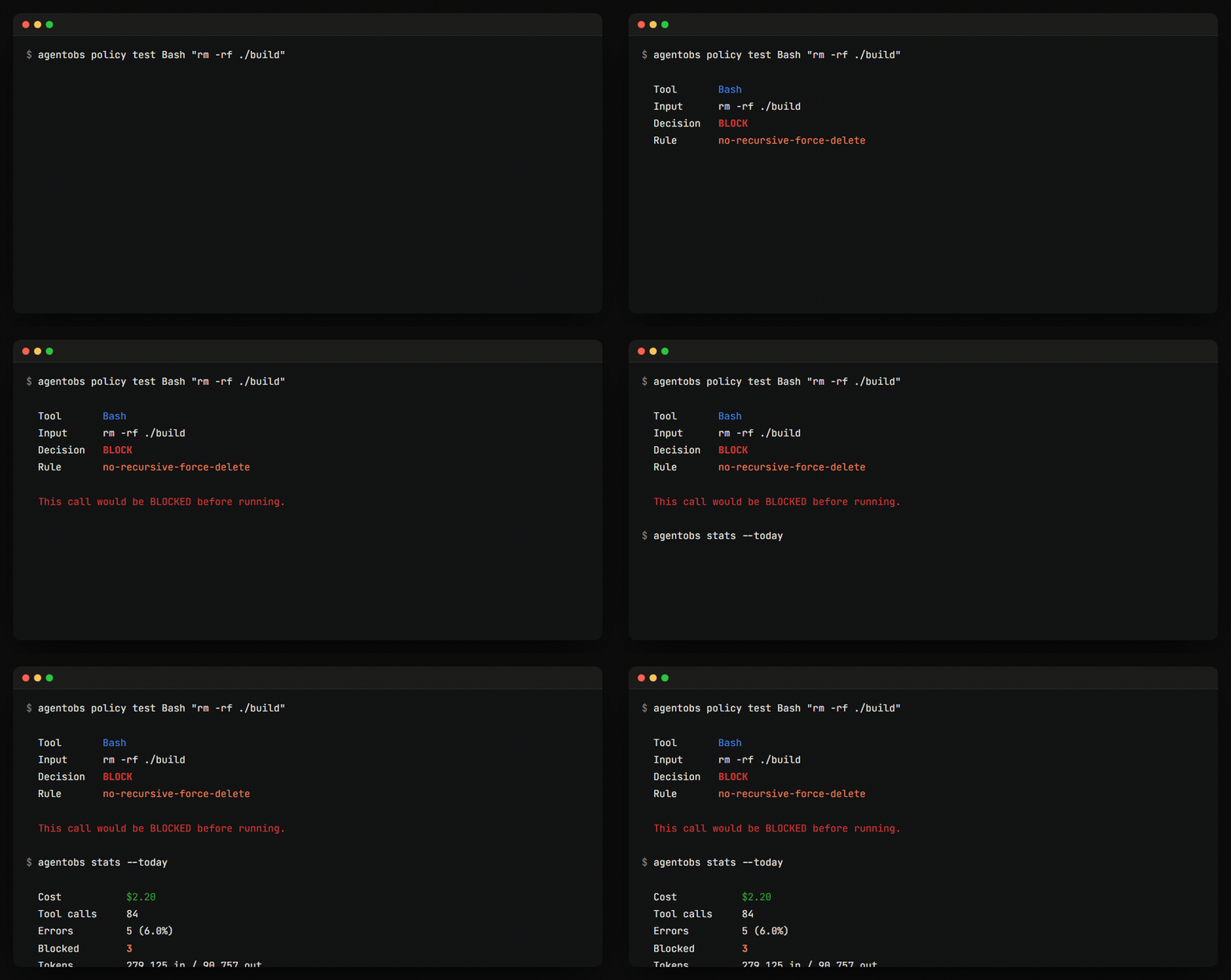
Guardrails are evaluated inside the same hook that does the logging, so a blocked
call never executes. Check exactly what a rule will do before it fires mid-task:
Honest cost
A model missing from your pricing table shows —, never
$0.00. One wrong number and you stop trusting all of them.
Honest fidelity
Process-wrapped sessions are labelled coarse. The UI never implies
detail it doesn't have.
Fails open
A malformed policy degrades to allow-everything and says so. A guardrail that
wedges your agent is worse than none — but it does mean that in that state,
nothing is blocked.
A safety net, not a guarantee
Rules match tool inputs textually, budgets are checked between calls, and
nothing is enforced where hooks do not run. Set a small limit and confirm it
blocks on your machine — see the
limits.
Privacy is the whole point
AgentObs sits in the middle of everything your agent does. That only works if it is
trustworthy by construction, not by promise.
No telemetry, no analytics, no account. The only outbound request
AgentObs makes is to an alert endpoint you configure yourself; with none set, it
never touches the network.
Secrets are redacted before anything touches disk. AWS, Anthropic,
OpenAI, GitHub, GitLab, Slack, Stripe and Google keys, JWTs, PEM blocks,
KEY=value pairs, Authorization: headers and URL
credentials.
The redaction rules are unit-tested — they caught real leaks
during development. No pattern set catches every secret format, so treat the
local database as sensitive rather than sanitised.
Uninstalling is rm -rf ~/.agentobs. That is the entire
footprint.
agentobs budget set --daily 5 --block. Once the limit is reached,
AgentObs refuses further tool calls rather than reporting the overspend after the
fact. Periods are daily, weekly, monthly, or the rolling 5-hour block that matches
Anthropic’s own rate-limit window.
How is this different from ccusage?
ccusage is read-only, and good at it — it parses the same local transcripts and
reports what you already spent. AgentObs asks for your limit, which is what makes
refusing a call and forecasting possible; both need the limit, not just the usage.
A couple of tools do block, but on cumulative dollars alone — AgentObs also
enforces token budgets, rolling 5-hour windows, command policy and approvals.
I’m on Max — my cost is $0. Can I still cap anything?
Yes, and this is the case dollar-denominated tools cannot serve. Budgets can be
set in tokens:
agentobs budget set --block5h 200000 --tokens. On a subscription your
real constraint is the rate-limit window, not a bill.
Why does it say I spent thousands when my plan is $100?
Because that figure is what your usage would cost on the API, not what
you were charged. AgentObs detects your plan and labels it
“API-equivalent usage” on a subscription, keeping “Spend”
for API keys where it is real money. The number looks large because cache reads
dominate — every turn re-sends the whole conversation, and on one measured
session 99.3% of all tokens were cache reads. On a subscription, cap the thing
that actually binds you:
agentobs budget set --block5h 200000 --tokens.
Does any of my data leave the machine?
No. One SQLite database under ~/.agentobs. No account, no API key, no
telemetry. Optional alerts are the one outbound path and are off until you
set one. Secrets are redacted before anything is written, and
those rules are unit-tested.
Which agents does it read?
Claude Code is verified against real transcripts. Copilot CLI, Codex CLI, Gemini
CLI and OpenCode ship as declarative log-source definitions marked
unverified until someone confirms them against real files — claiming
support that silently records nothing is the worst thing an observability tool can
do. You can add an agent we have never heard of with a JSON definition and no code.
Can it stop dangerous commands, not just spending?
Yes. Glob rules match tool inputs and deny before execution — rm -rf /,
reads of .env, whatever you add. A needs_approval rule
holds the call for you instead, scoped to a fingerprint of the tool name and its
exact input, so approving rm -rf ./build never authorises
rm -rf /.